No application works alone anymore. Your CRM talks to your billing tool, your mobile app pulls data from your ERP, and your customers expect everything to sync in real time. That is why APIs and integrations in custom software development have moved from a technical detail to a core business strategy. This guide explains what APIs and integrations do, how they shape modern software, and how to plan them so your systems work together instead of against each other.
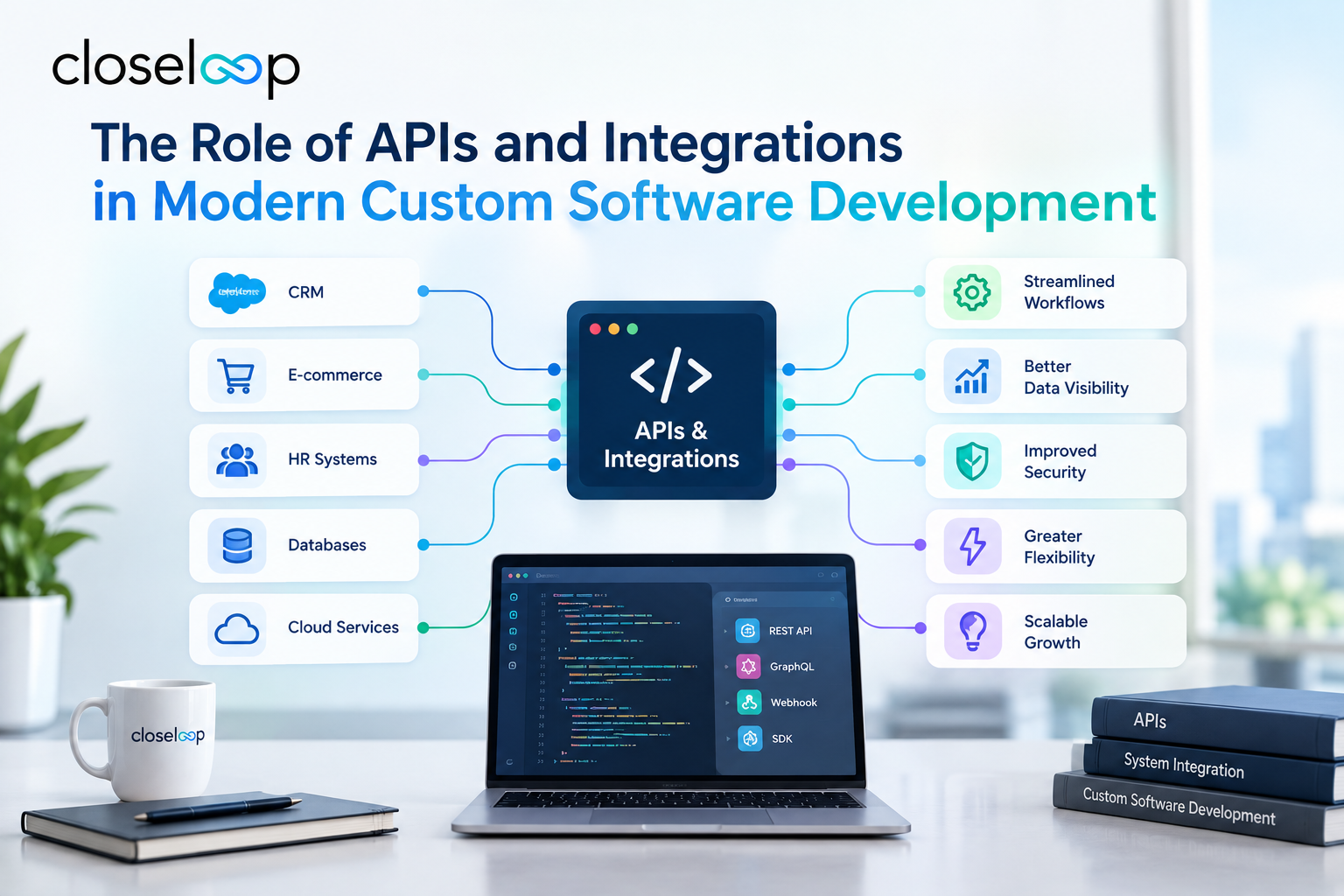
What Are APIs and Integrations?
An application programming interface (API) is a defined set of rules that lets one piece of software request data or actions from another. Think of it as a waiter between the kitchen and your table. You don't need to know how the kitchen works. You just place an order and get a result.
Integration is the broader practice of connecting separate systems, applications, and data sources so they behave like one coordinated environment. APIs are the most common tool for doing that, but integration also covers data pipelines, middleware, event streams, and file exchanges.
In custom software, both are designed around your specific workflows rather than forced into a generic template.
Why APIs and Integrations Matter in Custom Software Development
Custom software exists to fit your business precisely. But even the most tailored application has to connect to payment processors, identity providers, shipping carriers, analytics tools, and internal systems. Without solid integrations, you end up with data silos, manual re-entry, and slow, error-prone processes.
Well-planned APIs deliver several advantages:
- Speed: Teams reuse existing services instead of building every capability from scratch.
- Flexibility: You can swap or add tools without rewriting the whole application.
- Consistency: One source of truth keeps records accurate across departments.
- Scalability: Modular connections let you grow one component at a time.
- Better customer experience: Real-time data powers tracking, personalization, and self-service features.
Core Types of APIs Used in Custom Software
Choosing the right API style affects performance, security, and developer experience. Here are the most common options.
REST APIs
REST is the most widely used style because it is simple, stateless, and works well over standard web protocols. It suits most web and mobile applications and is a good default for public-facing services.
GraphQL APIs
GraphQL lets clients request exactly the data they need in a single call. It is useful for complex front ends, such as dashboards or mobile apps, where reducing over-fetching improves speed.
SOAP and Legacy Web Services
Some enterprise systems, especially in banking and government, still rely on SOAP. Custom developers often build translation layers so modern applications can talk to these older services safely.
Webhooks and Event-Driven APIs
Instead of asking "has anything changed?" repeatedly, webhooks push a notification the moment an event happens, such as a completed payment or a shipped order. This reduces load and keeps systems in sync almost instantly.
Internal, Partner, and Public APIs
APIs also differ by audience. Internal APIs connect your own services, partner APIs serve trusted vendors or clients, and public APIs are open to outside developers. Each level needs different authentication, documentation, and rate limits.
Common Integration Patterns in Modern Software
Custom development teams choose patterns based on the number of systems, data volume, and how fast information must move.
- Point-to-point integration: Two systems connect directly. It's quick for small setups but becomes tangled as you add more connections.
- Hub-and-spoke or middleware: A central layer manages communication between systems, which simplifies maintenance. This is a classic form of enterprise application integration.
- API gateway: A single entry point handles authentication, routing, throttling, and monitoring for all your APIs.
- Event-driven architecture: Services publish and subscribe to events, which suits high-volume, real-time environments.
- Batch integration: Data moves on a schedule, which still makes sense for reporting, reconciliation, and large transfers.
For organizations juggling many platforms, professional system integration services help select the right pattern and avoid a brittle web of one-off connections.
How APIs Support Modern Architecture
Today's applications are rarely single, monolithic blocks. Teams build them from independent services that communicate through APIs, which brings several benefits.
Microservices and modularity. Each service handles one job, such as authentication, inventory, or notifications, and exposes an API. Teams can update or scale one service without redeploying everything.
Cloud-native development. APIs make it easy to combine cloud services, from storage to machine learning, into a single solution.
Legacy connectivity. When older systems can't be replaced right away, APIs act as a bridge. A wrapper exposes legacy data to new applications, which is a practical first step in gradual modernization.
Mobile and omnichannel delivery. One backend API can serve your website, iOS app, Android app, and partner portals at the same time, keeping logic consistent everywhere.
Real-World Examples of APIs and Integrations at Work
These scenarios show how integration turns separate tools into working ecosystems.
Retail and eCommerce: An online store connects its storefront to inventory, payment, shipping, and email marketing tools. When a customer orders, stock updates instantly, the carrier generates a label, and a confirmation email goes out, all without staff intervention.
Healthcare: A patient portal integrates with electronic health records, scheduling software, and billing systems. Patients view results and book visits in one place, while data exchange follows strict privacy controls.
Fintech: A lending app pulls credit data, verifies identity, and processes payments through third-party APIs, which shortens approval time from days to minutes.
Logistics: A fleet management platform combines GPS feeds, route optimization, warehouse systems, and customer notifications so dispatchers see live status on a single dashboard.
Best Practices for Designing APIs and Integrations
Good integration is designed, not improvised. These practices help avoid costly rework.
Start With Business Workflows
Map how information should move between people, systems, and customers before choosing technology. The workflow defines the integration, not the other way around.
Design API-First
Define the API contract early, including endpoints, data formats, and error handling. This lets front-end, back-end, and partner teams work in parallel and reduces misunderstandings.
Build Security In From the Start
Use strong authentication such as OAuth 2.0, encrypt data in transit and at rest, validate all inputs, and apply the principle of least privilege. Log activity so you can audit and investigate issues.
Plan for Versioning and Change
APIs evolve. Versioning lets you release improvements without breaking existing users. Communicate deprecations well in advance.
Document Thoroughly
Clear documentation, sample requests, and a sandbox environment shorten onboarding for internal developers and external partners alike.
Monitor, Test, and Handle Failures
Automated tests, rate limiting, retries, and real-time monitoring keep integrations reliable. Assume third-party services will occasionally fail and design graceful fallbacks.
Common Challenges and How to Avoid Them
Even well-funded projects run into integration trouble. Watch for these issues:
- Inconsistent data formats: Different systems store dates, currencies, and identifiers differently. Establish data mapping and validation rules early.
- Over-reliance on third parties: Vendors change pricing, limits, or features. Isolate external dependencies behind your own interfaces.
- Security gaps: Exposed endpoints and weak keys are frequent breach points. Regular audits and penetration testing help.
- Performance bottlenecks: Chatty APIs and unoptimized queries slow everything down. Use caching, pagination, and asynchronous processing.
- Poor documentation: Undocumented connections become impossible to maintain when key developers leave.
Also Read: NetSuite + SFDC Integration Using Celigo for Cordance
Choosing the Right Development Partner for Integrations
Integration work rewards experience. When evaluating vendors, look for a portfolio that includes complex multi-system projects, a clear security approach, and a willingness to explain trade-offs in plain language.
Company size matters too. Startups usually want lightweight, fast integrations, while enterprises need governance, compliance, and coordination across many teams. This comparison of custom software development for startups vs. enterprises can help you shape your requirements.
To compare providers, review lists such as the best custom software development companies in the USA and this roundup of top-rated custom software development companies in the USA. Then shortlist the teams whose experience matches your systems.
Conclusion
APIs and integrations are the connective tissue of modern software. They determine how quickly you can launch features, how smoothly data flows, and how easily your systems adapt as your business changes. Planning them carefully, with security, documentation, and scalability in mind, turns custom software from an isolated tool into a connected growth engine.
If you want a team that understands both the technical and business sides of integration, Closeloop, a custom software development company in the USA, can help you design and build connected solutions tailored to your goals. Contact us today to discuss your project and get a clear roadmap for your next integration.
Author

Swetha GP

VP of Delivery
She is a VP of Delivery at Closeloop. A communicator, business analyst, and engineering aficionado. Besides handling client relations, and engineering duties, she loves to pour her thoughts on paper. She writes about engineering, technologies, frameworks, and everything related to the software domain. She reads, spends time with family, and enjoys a good walk in nature in her free time. Her dream destination is Greece.
Frequently Asked Questions
Connect with our experts to assess your actual workflows and find the right fit. For any queries, reach out to sales@closeloop.com
Stay abreast of what's trending in the world of technology
NetSuite Integration Challenges and How Businesses Can Overcome Them
Most NetSuite projects do not struggle because of NetSuite itself. They struggle at the...
How AI and Automation Are Transforming Modern Logistics Operations
A shipment that leaves the warehouse on time can still arrive late. A truck can run full on...

The Hidden Risks of AI-Generated Code in Enterprise Applications
AI coding assistants have moved from experiment to everyday tool in many engineering teams....

When Standard NetSuite Workflows Fall Short: Implementation, Integration, and Customization...
NetSuite is one of the most capable cloud ERP platforms available, but no out-of-the-box...