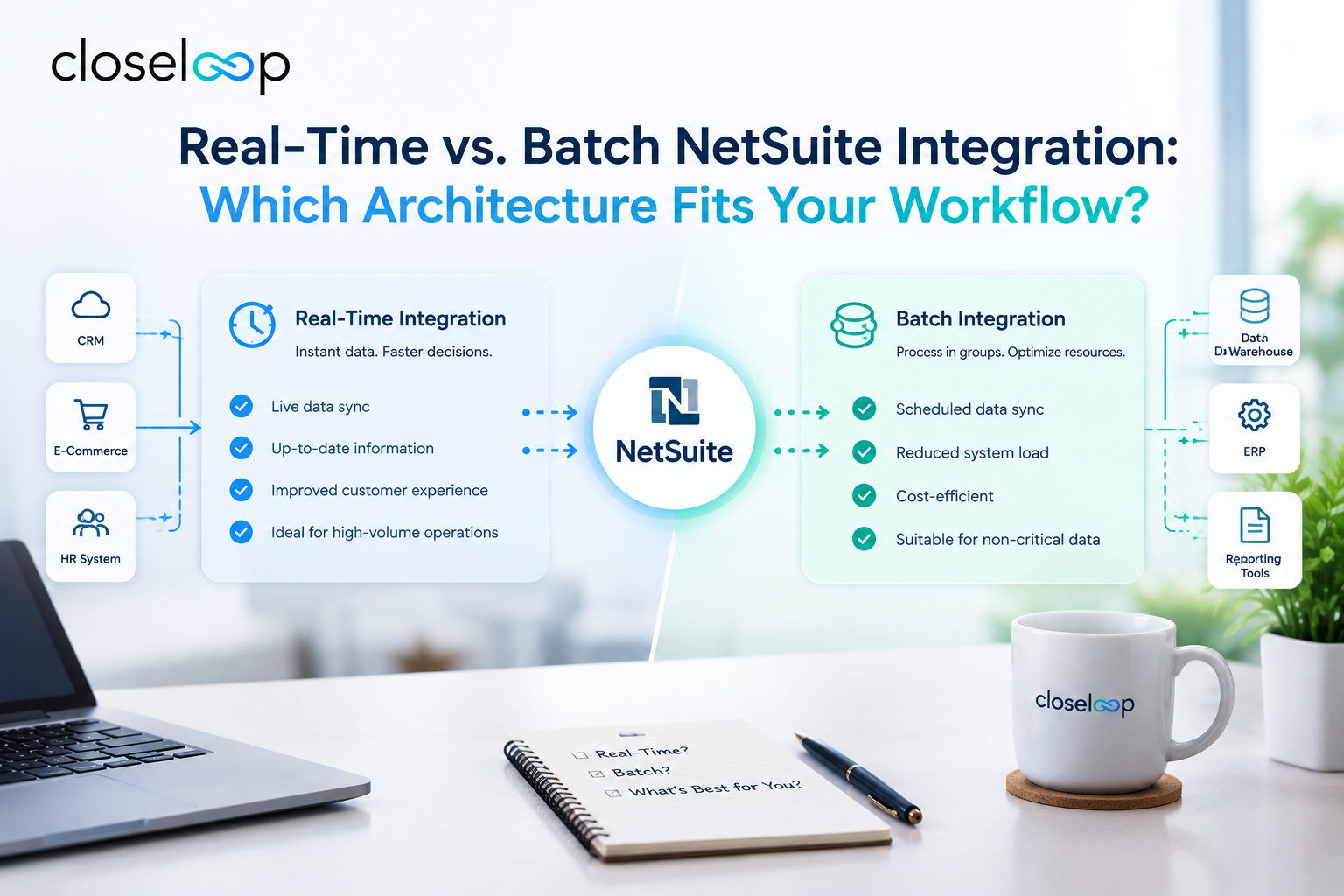
Every NetSuite project eventually hits the same question: should data move the instant something changes, or in scheduled groups? The real-time vs batch NetSuite integration decision affects your costs, your system performance, and how quickly your teams see accurate information. Choosing wrong means sluggish operations or an integration bill bigger than it needs to be. This guide breaks down how each approach works, where each one fits, and how to decide.
Why the Integration Architecture Matters in NetSuite
NetSuite rarely runs alone. It typically connects to eCommerce platforms, CRMs, warehouse systems, payment gateways, EDI partners, and BI tools. How data flows between those systems determines whether your finance team closes the books on clean numbers and whether your customers see accurate stock levels.
Architecture also has technical consequences. NetSuite enforces governance limits and concurrency caps on API calls and scripts, so an integration that hammers the platform with thousands of tiny requests can slow down users or trigger errors. A well-chosen pattern keeps both your data and your system healthy. For a broader view of what integration can do for operations, see this overview of NetSuite integration services and how they transform business operations.
What Is Real-Time NetSuite Integration?
Real-time integration moves data almost immediately after an event occurs. When a customer places an order, a payment clears, or an inventory count changes, the update reaches the connected system within seconds.
How Real-Time Integration Works
Real-time flows are usually built with one of these mechanisms:
- RESTlets and REST web services: External systems call NetSuite directly to create or update records.
- SuiteScript user event triggers: A script fires when a record is saved and pushes the change outward.
- Webhooks and event-driven messaging: Systems publish events that others react to, following an event-driven architecture.
- iPaaS connectors: Integration platforms manage the connection, retries, and monitoring.
Advantages of Real-Time Integration
- Users and customers always see current data.
- Errors surface immediately, so they are easier to trace and fix.
- It supports customer-facing experiences such as live stock and order status.
- It removes the delay between departments waiting on each other's data.
Limitations of Real-Time Integration
- High transaction volumes can strain governance and concurrency limits.
- It costs more to design, monitor, and maintain.
- Downtime on either side needs queuing and retry logic, or data gets lost.
- A burst of activity, such as a flash sale, can overwhelm poorly built connections.
What Is Batch NetSuite Integration?
Batch processing collects records and moves them together at scheduled intervals, such as every 15 minutes, hourly, or nightly. Instead of one call per record, the integration handles groups in a single run.
How Batch Integration Works
Common batch methods include:
- Scheduled and Map/Reduce SuiteScripts that process large datasets efficiently inside NetSuite.
- Saved searches that export changed records on a schedule.
- CSV imports for bulk loading of items, customers, or journal entries.
- ETL or iPaaS jobs that extract, transform, and load data between NetSuite and other platforms, including data warehouses.
Advantages of Batch Integration
- It handles large volumes with fewer API calls and lower governance impact.
- It is generally simpler and cheaper to build and support.
- Processing during off-peak hours keeps daily users unaffected.
- Grouped runs are easy to audit and reconcile.
Limitations of Batch Integration
- Data is only as fresh as the last run.
- A failed batch can delay many records at once.
- It is a poor fit for workflows where timing affects customers or revenue.
Real-Time vs. Batch: Side-by-Side Comparison
| Factor | Real-Time | Batch |
|---|---|---|
| Data freshness | Seconds | Minutes to hours |
| Best for | Customer-facing, time-sensitive flows | High-volume, back-office flows |
| Build and maintenance cost | Higher | Lower |
| Impact on NetSuite limits | Can be heavy at scale | Lighter when scheduled well |
| Error visibility | Immediate | Delayed until the run completes |
| Complexity | Higher (queues, retries, monitoring) | Lower |
Neither approach is universally better. The right answer depends on what each individual data flow needs.
Use Cases: Where Each Architecture Fits
When Real-Time Makes Sense
- Inventory availability: An online retailer that sells limited stock across several channels needs quantities updated quickly to avoid overselling.
- Order and payment status: Customers expect instant confirmation, and fulfillment teams need to act on new orders right away.
- Credit and pricing checks: A sales rep quoting in a CRM needs current credit limits and contract pricing from NetSuite.
- Customer service portals: Support agents need live order and invoice data while the customer is on the line.
When Batch Makes Sense
- Financial consolidation and reporting: Nightly loads to a data warehouse or BI tool are usually sufficient.
- Bulk item and price updates: Catalog changes for thousands of SKUs are better processed in groups.
- Payroll, expense, and journal imports: These are typically periodic by nature.
- Historical data migration: Large one-time transfers are batch work by definition.
A Practical Example
Consider a mid-sized distributor selling through its own web store and a marketplace. Orders and stock levels sync in near real time so customers never buy items that are out of stock. Meanwhile, sales history, customer records for analytics, and general ledger summaries move in a nightly batch to the reporting environment. The distributor pays for real-time only where it produces value and keeps everything else simple.
The Hybrid Approach: Combining Both
Most mature NetSuite environments use both. A hybrid model assigns each data flow to the pattern that suits its business impact:
- Real-time for orders, inventory, payments, and customer-facing updates.
- Near-real-time (micro-batch) for tasks that can tolerate a few minutes, such as shipment tracking updates every 5 to 15 minutes.
- Scheduled batch for reporting, reconciliation, and bulk maintenance.
Micro-batching is a useful middle ground. It cuts the overhead of individual calls while keeping data reasonably fresh, and it is often the most economical answer for flows that feel urgent but are not truly instant.
Also Read: How Custom NetSuite Development Helps Businesses Build a More Scalable ERP
How to Choose: A Simple Decision Framework
Ask these questions about each integration flow, not about your NetSuite environment as a whole.
- What is the cost of delay? If stale data causes lost sales, wrong shipments, or unhappy customers, lean real-time.
- How much data moves, and how often? Very high volumes with modest urgency favor batch.
- Who consumes the data? Customers and front-line staff need speed. Analysts and accountants usually do not.
- What are the platform limits? Review NetSuite's governance and concurrency allowances for your account tier before designing high-frequency calls.
- How resilient must it be? Real-time needs queues, retries, and alerts. Batch needs clear reconciliation and restart logic.
- What is the budget and timeline? Start simple, then upgrade specific flows to real-time when the business case is clear.
Best Practices for NetSuite Integration Design
- Map data flows before choosing tools. Document sources, destinations, field mappings, and ownership.
- Define a system of record. Decide which system is authoritative for each data type to avoid conflicting updates.
- Build idempotent, retry-safe processes. Reprocessing the same message should never create duplicates.
- Use error queues and alerts. Failures should be visible and recoverable, not silent.
- Test at peak volume. Simulate seasonal spikes, not average days.
- Secure every connection. Use token-based authentication, least-privilege roles, and encrypted transport.
- Plan for change. NetSuite releases updates twice a year, so test integrations against upcoming releases.
If your integrations involve custom logic, unusual data models, or several external platforms, custom software development can fill gaps that off-the-shelf connectors cannot.
Choosing the Right NetSuite Partner
Architecture decisions are easier with people who have made them before. A good partner will assess your workflows, explain trade-offs in plain language, and build monitoring into the solution instead of adding it later. Start with these resources:
- The buyer's checklist for a great NetSuite implementation company outlines what to look for in a provider.
- This guide on how to choose the right NetSuite implementation partner explains how to evaluate experience and approach.
- If you are still setting up or expanding your ERP, explore NetSuite implementation services to see how integration fits into the broader rollout.
Conclusion
Real-time and batch integration solve different problems, and the smartest NetSuite setups use each where it counts. Match the speed of each data flow to its business value, protect your platform limits, and build in monitoring from day one. That approach delivers accurate data without paying for speed you do not need.
If you want expert help designing the right architecture, Closeloop, a custom software development company in the USA, can assess your workflows and build NetSuite integrations that scale with your business. Contact us today to discuss your project and get a clear integration roadmap.
Author

Swetha GP

VP of Delivery
She is a VP of Delivery at Closeloop. A communicator, business analyst, and engineering aficionado. Besides handling client relations, and engineering duties, she loves to pour her thoughts on paper. She writes about engineering, technologies, frameworks, and everything related to the software domain. She reads, spends time with family, and enjoys a good walk in nature in her free time. Her dream destination is Greece.
Frequently Asked Questions
Connect with our experts to assess your actual workflows and find the right fit. For any queries, reach out to sales@closeloop.com
Stay abreast of what's trending in the world of technology
NetSuite Integration Challenges and How Businesses Can Overcome Them
Most NetSuite projects do not struggle because of NetSuite itself. They struggle at the...

How AI and Automation Are Transforming Modern Logistics Operations
A shipment that leaves the warehouse on time can still arrive late. A truck can run full on...

The Hidden Risks of AI-Generated Code in Enterprise Applications
AI coding assistants have moved from experiment to everyday tool in many engineering teams....

When Standard NetSuite Workflows Fall Short: Implementation, Integration, and Customization...
NetSuite is one of the most capable cloud ERP platforms available, but no out-of-the-box...