Managing people is one of the most important and complex parts of running a business. From hiring and onboarding to payroll, attendance, performance reviews, and compliance, HR teams handle huge amounts of data every day. When this data lives in separate tools like spreadsheets, email, and disconnected software, it creates confusion, delays, and errors.
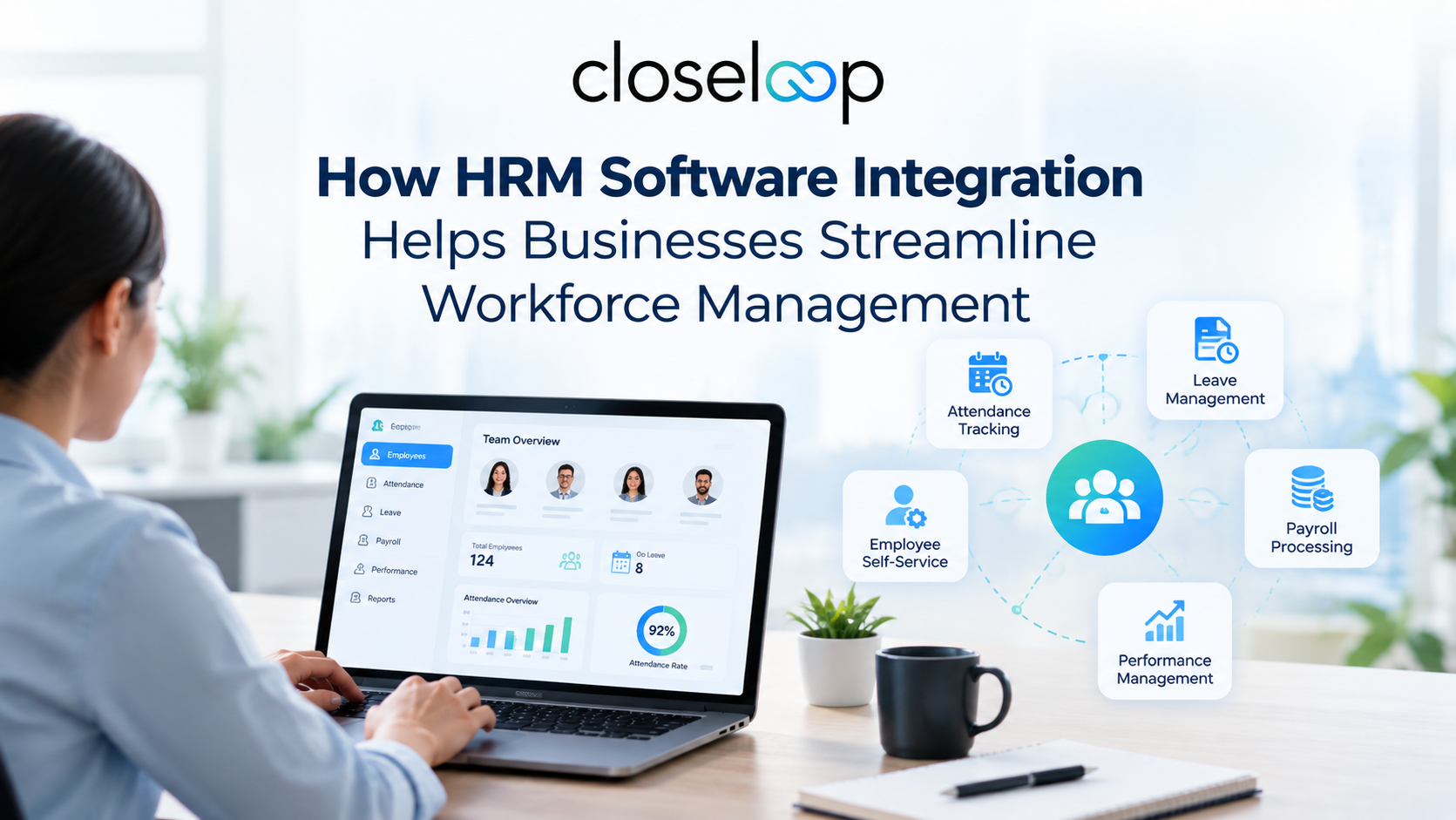
That's where HRM software integration comes in. By connecting your HR system with payroll, attendance, CRM, ERP, and other business tools, you create a single source of truth for workforce data. This not only saves time but also improves accuracy, compliance, and decision-making across the organization. Human Resource Management systems are designed to manage employee-related processes such as recruitment, payroll, performance management, and workforce administration. Learn more about the broader concept of Human Resource Management through Human Resource Management.
What Is HRM Software Integration?
HRM software integration means linking your HR management system with other business applications so they can share data automatically. Instead of manually copying employee details, attendance records, or payroll information between systems, integration ensures that data flows seamlessly from one platform to another.
For example:
When an employee's attendance is marked in the time-tracking system, it automatically updates the payroll module.
When a new hire is onboarded in the HRM, their details are instantly available in the ERP and finance systems.
When a sales deal is closed in the CRM, commission data flows into payroll without manual entry.
This connected approach eliminates duplicate data entry, reduces human error, and gives HR, finance, and operations teams access to real-time, reliable information.
Key Benefits of HRM Software Integrations
| Benefit | Description | Business Impact |
|---|---|---|
| Centralized Data | Single source of truth for all employee information | Reduces confusion and data inconsistencies across teams |
| Automated Payroll | Attendance data flows directly into payroll calculations | Eliminates manual reconciliation and reduces payroll errors |
| Faster Processing | Cuts repetitive tasks like data entry and export-import cycles | HR teams save hours every month on administrative work |
| Better Compliance | Clear audit trail linking attendance, payroll, and finance | Prepares businesses for statutory audits and labor law compliance |
| Real-Time Insights | Access to live workforce data and reports | Enables faster, data-driven decision-making |
| Improved Collaboration | HR, payroll, and finance work within a connected framework | Reduces delays and miscommunication between departments |
Also Read: Ajna: HR Staffing Software Case Study
HRM integration is often a part of a broader digital transformation strategy where businesses connect multiple systems to improve efficiency and automation. Organizations looking to modernize their technology ecosystem can explore solutions such as business process automation to streamline repetitive workflows and improve operational productivity.
As businesses scale, integrating HR platforms with other enterprise systems becomes increasingly important. Companies can also benefit from enterprise software integration strategies to create connected workflows between HR, finance, CRM, ERP, and other critical business applications.
Common Integration Challenges and Solutions
| Challenge | Why It Happens | How to Fix It |
|---|---|---|
| Data Inconsistency | Different systems use different formats for employee IDs, names, or dates | Standardize data formats and establish master data management policies before integration |
| Legacy System Compatibility | Older HR or finance systems don't support modern APIs or cloud integrations | Use middleware or integration platforms as bridges between legacy and modern systems |
| Security Risks | HR data is sensitive; integrating multiple systems increases breach risk | Implement encryption, RBAC, MFA, and regular security audits |
| Resistance to Change | Employees prefer familiar, standalone tools over new integrated systems | Provide training, highlight benefits, and involve stakeholders early |
| High Cost and Complexity | Large enterprises with multiple systems face expensive, complex projects | Start with high-impact integrations (HRM-payroll-attendance) and scale gradually |
Many businesses still rely on older HR platforms that may not easily communicate with modern applications. In such cases, combining HRM integration with legacy application modernization helps organizations improve system compatibility, enhance security, and prepare their workforce technology for future growth.
A well-planned integration approach ensures that businesses can connect existing tools without disrupting daily operations while creating a more flexible and scalable technology environment.
Security Considerations for HRM Integrations
Since HRM systems handle sensitive employee data, security must be a top priority during integration. Here are key security practices to follow:
Encryption: Ensure all data transferred between systems is encrypted using industry-standard protocols (e.g., TLS 1.3).
Access Control: Implement least-privilege access models so employees only see data relevant to their role.
Authentication: Use multi-factor authentication (MFA) for all users accessing integrated systems.
Regular Audits: Conduct quarterly security audits and penetration testing to identify vulnerabilities.
Compliance: Ensure integrations comply with data protection regulations like GDPR, CCPA, or local labor laws.
Machine-to-Machine Identity Management: Monitor and manage credentials used for system-to-system integrations to prevent unauthorized access.
Best Practices for Successful HRM Integration
To get the most out of HRM software integrations, follow these best practices:
1. Define Clear Goals
Before starting integration, identify what you want to achieve, whether it's automating payroll, improving attendance tracking, or enabling real-time reporting. Clear goals help you choose the right tools and measure success.
2. Choose the Right Integration Approach
Decide whether you need native integrations (built-in connections), API-based integrations, or middleware solutions. The right approach depends on your existing systems and business needs.
3. Standardize Data Formats
Ensure all systems use consistent data formats for employee IDs, names, dates, and other key fields. This reduces synchronization errors and improves data accuracy.
4. Start Small and Scale
Begin with high-impact integrations like HRM-payroll-attendance, then gradually connect CRM, ERP, and other systems. This reduces complexity and allows teams to adapt gradually.
5. Train Your Team
Provide training to HR, payroll, and finance teams on how to use the integrated system effectively. Highlight time-saving features and error-reduction benefits to encourage adoption.
6. Monitor and Optimize
After integration, continuously monitor data flows, error rates, and user feedback. Use this information to optimize workflows and address any issues promptly.
Also Read: HR Software Development Challenges and Cost Explained
Successful HRM integrations require more than connecting different systems; they require a secure and scalable architecture that supports long-term business goals. Businesses adopting modern digital solutions can improve collaboration, automate processes, and create better experiences for employees and management teams.
Organizations looking to enhance their overall technology infrastructure can explore custom software development solutions to build integrated platforms tailored to their unique operational requirements.
Why Businesses Need HRM Software Integrations Today
In today's fast-paced business environment, efficiency, data accuracy, and real-time insights are non-negotiable. Disconnected HR systems lead to fragmented data, manual errors, compliance risks, and poor decision-making.
By integrating HRM software with payroll, attendance, CRM, ERP, and other tools, businesses can:
Reduce manual work and operational costs
Improve payroll accuracy and compliance
Gain real-time visibility into workforce data
Enable better collaboration across departments
Scale operations without adding administrative overhead
For businesses looking to implement seamless HRM Software Integrations, Closeloop offers tailored solutions that connect your HR systems with payroll, attendance, CRM, ERP, and more, helping you streamline workforce management and drive growth.
Conclusion
HRM software integration is no longer a luxury; it's a necessity for businesses that want to manage their workforce efficiently, accurately, and at scale. By connecting HR systems with payroll, attendance, CRM, ERP, and other tools, organizations can eliminate data silos, reduce errors, ensure compliance, and make smarter, faster decisions.
While integration comes with challenges like data inconsistency, security concerns, and change resistance, these can be overcome with proper planning, the right tools, and best practices. The result is a streamlined, future-ready HR operation that supports business growth and improves employee experience.
Author

Swetha GP

VP of Delivery
She is a VP of Delivery at Closeloop. A communicator, business analyst, and engineering aficionado. Besides handling client relations, and engineering duties, she loves to pour her thoughts on paper. She writes about engineering, technologies, frameworks, and everything related to the software domain. She reads, spends time with family, and enjoys a good walk in nature in her free time. Her dream destination is Greece.
Stay abreast of what's trending in the world of technology
NetSuite Integration Challenges and How Businesses Can Overcome Them
Most NetSuite projects do not struggle because of NetSuite itself. They struggle at the...
How AI and Automation Are Transforming Modern Logistics Operations
A shipment that leaves the warehouse on time can still arrive late. A truck can run full on...
The Hidden Risks of AI-Generated Code in Enterprise Applications
AI coding assistants have moved from experiment to everyday tool in many engineering teams....
When Standard NetSuite Workflows Fall Short: Implementation, Integration, and Customization...
NetSuite is one of the most capable cloud ERP platforms available, but no out-of-the-box...