Outdated software quietly drains budgets, slows teams down, and blocks growth. Many organizations still run critical operations on systems built decades ago, and replacing them feels risky. This is where software development companies help businesses modernize legacy systems without disrupting daily operations. This guide explains how the process works, what strategies exist, and how to choose the right partner.
What Is Legacy System Modernization?
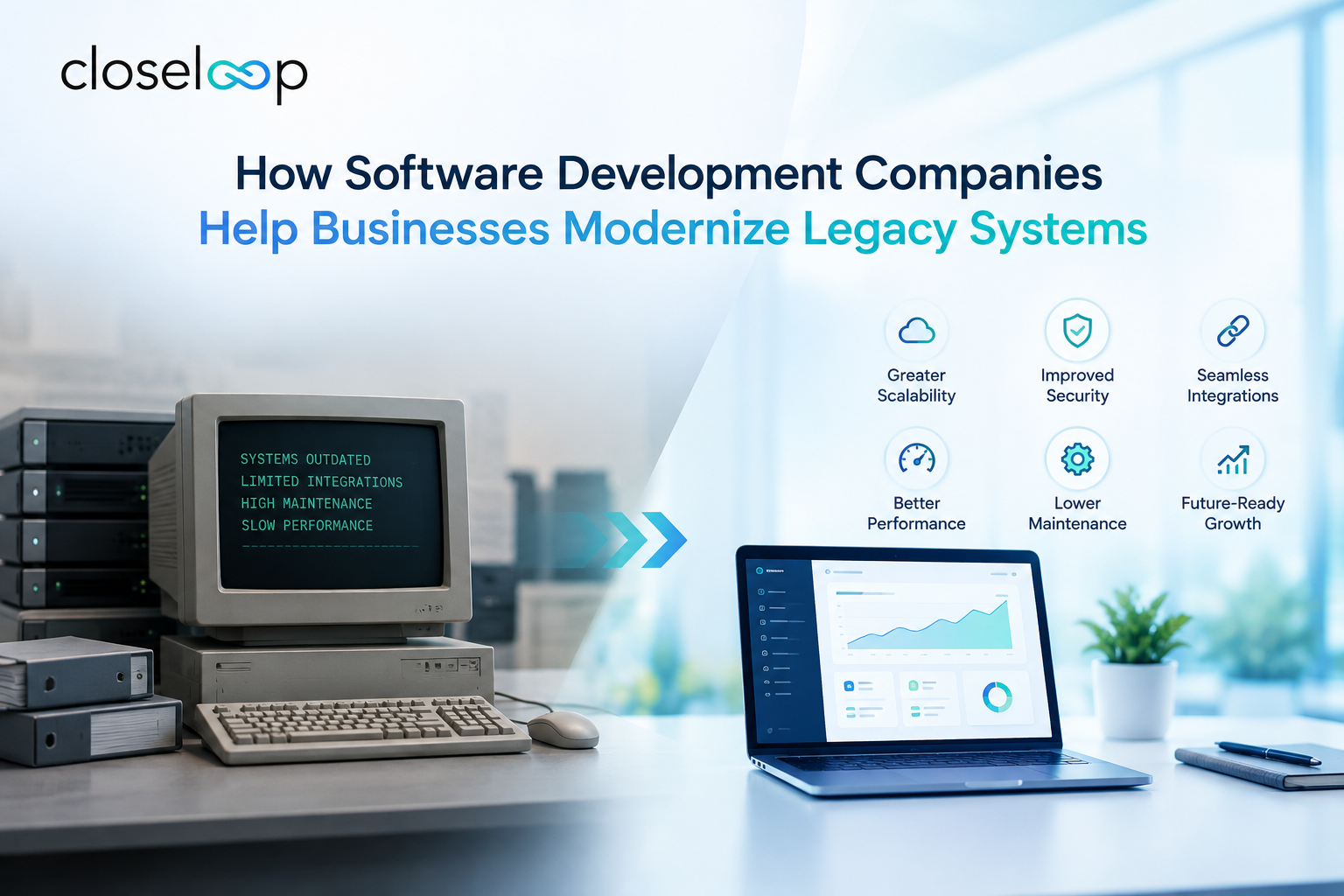
A legacy system is outdated software or hardware that still performs essential work but is difficult to maintain, integrate, or scale. Legacy system modernization is the process of updating or replacing these systems so they support current business needs, security standards, and technologies.
Modernization does not always mean starting from scratch. Depending on the situation, it can involve moving to the cloud, wrapping old code in modern APIs, restructuring the architecture, or building a new platform in phases.
Signs Your Business Needs Legacy Software Modernization
Not every old system needs an overhaul. But these warning signs usually mean the cost of waiting is higher than the cost of change:
- Rising maintenance costs. Most of your IT budget goes to keeping the lights on rather than building new capabilities.
- Integration problems. The system can't connect with CRMs, payment gateways, analytics tools, or mobile apps.
- Security and compliance gaps. Unsupported frameworks no longer receive patches, and audits become stressful.
- Slow performance. Pages lag, reports take hours, and users work around the software.
- Talent shortages. Few developers know the original programming language or framework.
- Limited scalability. Traffic spikes or new locations push the system past its limits.
If three or more of these sound familiar, a modernization assessment is a sensible next step.
How Software Development Companies Modernize Legacy Systems
Experienced development partners follow a structured, low-risk process. Here is what it typically looks like.
1. Discovery and System Assessment
The first step is understanding what you have. Engineers review the codebase, database structure, infrastructure, integrations, and documentation. They also interview stakeholders to learn which workflows matter most to the business.
The output is usually a technical audit that highlights technical debt, security risks, dependencies, and quick wins. A good assessment also connects technical findings to business outcomes such as cost, speed, and customer experience.
2. Choosing the Right Modernization Strategy
There is no single correct path. Development companies usually evaluate five common approaches:
- Rehost (lift and shift): Move the application to cloud infrastructure with minimal code changes. It is fast but delivers limited long-term benefit.
- Replatform: Make targeted optimizations, such as moving to a managed database, while keeping the core structure.
- Refactor or re-architect: Restructure the code to improve performance, modularity, and scalability.
- Rebuild: Redevelop the application from scratch using modern technologies when the old code is beyond saving.
- Replace: Retire the system in favor of an off-the-shelf or SaaS product when it fits the requirements.
The right choice depends on budget, risk tolerance, timeline, and how unique your business processes are. When off-the-shelf tools can't match those processes, custom software development often delivers the best long-term return.
3. Re-Architecting for Flexibility
Many legacy applications are monoliths, meaning every feature is tightly bound together. A change in one area can break another. Modern teams often break these systems into smaller, independent services using a microservices architecture.
This approach lets teams update, scale, and deploy individual components without touching the entire application. It also makes it easier to adopt new technologies over time.
4. API Enablement and Integration
Sometimes the most practical move is to keep a stable legacy core and expose its data through secure APIs. This lets new mobile apps, dashboards, and third-party tools connect to old systems without rewriting them. It is a popular first phase because it delivers visible results quickly while reducing risk.
5. Cloud Migration
Cloud platforms offer elasticity, built-in security tools, and pay-as-you-go pricing. Development partners design a migration plan that covers workload sequencing, network configuration, cost controls, and rollback options. Done well, cloud migration reduces infrastructure overhead and improves uptime.
6. Data Migration and Quality
Data is often the hardest part of modernization. Old databases may contain duplicates, inconsistent formats, or undocumented fields. Developers clean, map, and validate data before moving it, then run parallel systems during cutover to confirm accuracy. Skipping this step is a common cause of failed projects.
7. Security and Compliance Upgrades
Modernization is an opportunity to build security into the foundation. That includes role-based access, encryption, audit logging, and alignment with regulations such as HIPAA, PCI DSS, or GDPR, depending on your industry.
8. Testing, DevOps, and Ongoing Support
Automated testing and CI/CD pipelines make releases faster and safer. After launch, the development partner monitors performance, fixes issues, and continues improving the system as your needs change.
Real-World Examples of Legacy Modernization
These illustrative scenarios show how modernization plays out across industries.
Retail and eCommerce: A regional retailer runs inventory on a decades-old on-premise system that can't sync with its online store. A development team adds an API layer, then gradually moves inventory and order management to a cloud-based platform. Stock levels update in real time, and overselling drops sharply.
Healthcare: A clinic network relies on desktop software that stores patient records in separate databases. Developers consolidate the data, build a secure web portal, and add access controls that support compliance. Staff spend less time on manual entry, and patients can book appointments online.
Logistics: A distribution company tracks shipments through spreadsheets and a legacy dispatch tool. A phased rebuild introduces a route-optimization module, driver mobile apps, and live tracking dashboards, delivered one module at a time so operations never stop.
Financial services: A lender's loan-processing system runs on aging code that few engineers understand. The partner wraps it in APIs first, then rewrites high-risk components as microservices, which cuts approval times while keeping the core running.
Benefits of Modernizing With an Experienced Partner
- Lower total cost of ownership through reduced maintenance and infrastructure spending
- Faster time to market for new features and integrations
- Stronger security with current frameworks and monitoring
- Better user experience for employees and customers
- Scalability that supports growth without constant rework
- Data-driven decisions enabled by unified, accessible data
Also Read: Transforming Campus Operations With Scalable Software Solutions
How to Choose a Legacy Modernization Partner
The vendor you pick shapes the outcome as much as the strategy does. Look for these qualities:
- Proven modernization experience. Ask for case studies involving systems similar to yours.
- A phased delivery approach. Incremental releases reduce risk and show progress early.
- Transparent communication. Regular demos, clear reporting, and shared documentation matter.
- Domain and technical breadth. The team should be comfortable with both older and modern stacks.
- Post-launch support. Modernization is not finished at go-live.
Comparing vendors takes time, so it helps to review a curated list of the best custom software development companies in the USA or explore top-rated custom software development companies in the USA to see how providers stack up on experience and reviews.
Your company's size also affects the approach. Startups tend to prioritize speed and flexibility, while large enterprises need governance, integrations, and phased rollouts. This breakdown of custom software development for startups vs. enterprises can help you frame your requirements before you speak with vendors.
Practical Tips for a Smoother Modernization Project
- Start with business goals. Define what success looks like, whether that's lower costs, faster releases, or better customer experience.
- Prioritize by impact and risk. Modernize the systems that cause the most pain first.
- Avoid big-bang replacements. Phased migrations protect operations and allow course correction.
- Document as you go. Capture business rules hidden in old code before they are lost.
- Involve end users early. Adoption fails when the new system ignores real workflows.
- Plan the budget for the whole lifecycle. Include testing, training, and support, not just development.
Conclusion
Legacy systems don't have to hold your business back. With the right assessment, strategy, and phased execution, software development companies can turn aging platforms into secure, scalable assets that support growth. The key is choosing a partner who understands both your technology and your business goals.
If you're ready to explore your options, the team at Closeloop, a custom software development company in the USA, can help you evaluate your current systems and build a modernization roadmap that fits your budget and timeline. Contact us today to discuss your legacy modernization project and get started with a tailored plan.
Author

Swetha GP

VP of Delivery
She is a VP of Delivery at Closeloop. A communicator, business analyst, and engineering aficionado. Besides handling client relations, and engineering duties, she loves to pour her thoughts on paper. She writes about engineering, technologies, frameworks, and everything related to the software domain. She reads, spends time with family, and enjoys a good walk in nature in her free time. Her dream destination is Greece.
Frequently Asked Questions
Connect with our experts to assess your actual workflows and find the right fit. For any queries, reach out to sales@closeloop.com
Stay abreast of what's trending in the world of technology
NetSuite Integration Challenges and How Businesses Can Overcome Them
Most NetSuite projects do not struggle because of NetSuite itself. They struggle at the...
How AI and Automation Are Transforming Modern Logistics Operations
A shipment that leaves the warehouse on time can still arrive late. A truck can run full on...

The Hidden Risks of AI-Generated Code in Enterprise Applications
AI coding assistants have moved from experiment to everyday tool in many engineering teams....
When Standard NetSuite Workflows Fall Short: Implementation, Integration, and Customization...
NetSuite is one of the most capable cloud ERP platforms available, but no out-of-the-box...