Running a business on outdated software is like driving a car with a broken engine; it might still move, but it's slow, expensive to maintain, and risky. Legacy systems, older software applications that have been in use for years, often struggle to integrate with modern tools, lack security updates, and can't support new business needs like cloud computing, AI, or mobile access.
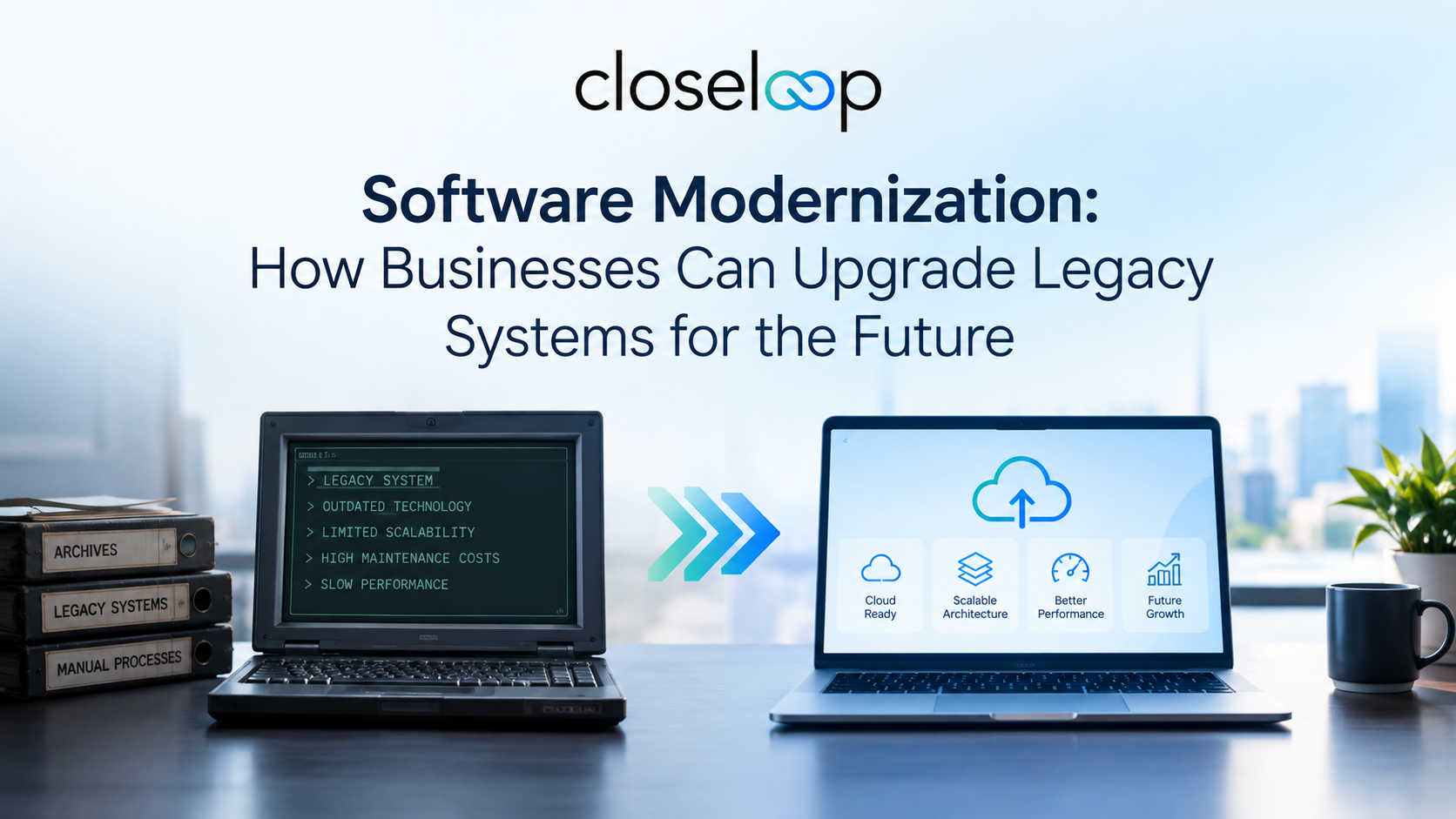
That's where software modernization services come in. By upgrading legacy systems with cloud-native architectures, APIs, microservices, and automation, businesses can improve performance, reduce costs, enhance security, and unlock innovation. In this guide, we'll explore what software modernization involves, its key benefits, common challenges, and best practices to help your business stay competitive in the digital age.
Legacy software systems are applications or technologies that continue to be used despite being outdated or replaced by newer solutions. Learn more about the broader concept of legacy systems through Legacy System.
What Is Software Modernization?
Software modernization is the strategic process of updating outdated systems, applications, and infrastructure to leverage modern technologies, reduce technical debt, and align with current business needs. It covers everything from moving a workload to modern infrastructure unchanged to rewriting legacy code from scratch as cloud-native services.
The goal is the same in every case: reduce maintenance burden, lower risk, and make the system easier to evolve as the business changes. Common modernization approaches include:
Rehosting (Lift & Shift): Moving applications to the cloud without changing code for quick infrastructure cost savings.
Replatforming: Migrating to a new platform with minimal code changes to leverage cloud features like managed databases.
Refactoring: Restructuring existing code to improve performance, scalability, and maintainability without changing functionality.
Rearchitecting: Redesigning applications using microservices and cloud-native architectures for maximum flexibility.
Replacing: Substituting legacy systems with modern SaaS or commercial off-the-shelf (COTS) solutions.
Encapsulation: Exposing legacy functionality through APIs or microservices without rewriting the underlying code.
Key Benefits of Software Modernization
| Benefit | Description | Business Impact |
|---|---|---|
| Faster Release Cycles | Modern architectures enable continuous integration and deployment (CI/CD) | 30–50% faster time-to-market for new features |
| Cost Optimization | Cloud-native infrastructure reduces hardware and maintenance expenses | 20–40% lower infrastructure costs |
| Improved Security | Modern systems include built-in security features and regular updates | Reduced risk of data breaches and compliance violations |
| Better Scalability | Cloud and microservices allow systems to scale up or down based on demand | Supports business growth without major re-engineering |
| Enhanced Integration | APIs and microservices enable seamless connection with modern tools | Easier integration with CRM, ERP, AI, and analytics platforms |
| AI Readiness | Modernized systems can leverage AI and automation for smarter operations | Enables predictive analytics, chatbots, and process automation |
Software modernization is often the first step toward broader digital transformation, allowing businesses to build more flexible and scalable technology ecosystems. Organizations looking to improve their development capabilities can also explore cloud modernization strategies to move applications toward secure, cloud-ready environments.
Modernized systems also create a stronger foundation for adopting emerging technologies such as artificial intelligence, automation, and advanced analytics. Businesses can leverage AI integration solutions to add intelligent capabilities to their existing applications without completely replacing their technology infrastructure.
Also Read: How Cloud Computing Accelerates Legacy Application Modernization
Common Modernization Challenges and Solutions
| Challenge | Why It Happens | How to Fix It |
|---|---|---|
| High Upfront Costs | Modernization requires investment in tools, training, and migration | Start with high-ROI modules; use a phased approach to spread costs |
| Business Disruption Risk | Replacing core systems can cause downtime or data loss | Run parallel systems during migration; use automated testing and rollback plans |
| Legacy Code Complexity | Older codebases may lack documentation or use obsolete languages | Use AI-powered code analysis tools; engage experienced modernization partners |
| Skill Gaps | In-house teams may lack cloud, microservices, or DevOps expertise | Upskill teams through training; partner with external modernization experts |
| Data Migration Issues | Moving data from legacy databases to the cloud can cause inconsistencies | Use hybrid synchronization; validate data integrity with automated tests |
| Resistance to Change | Employees prefer familiar systems over new modernized platforms | Involve stakeholders early; provide training and highlight benefits |
Many organizations struggle with modernization because legacy applications often contain years of business logic, complex dependencies, and outdated architectures. A structured approach combining assessment, planning, and custom software development solutions can help businesses rebuild or enhance applications while reducing operational risks.
For companies managing multiple disconnected systems, modernization can also work alongside enterprise software integration to create connected workflows and improve data exchange between applications.
Security Considerations for Software Modernization
Since modernization often involves moving sensitive business data to the cloud or exposing legacy systems through APIs, security must be a top priority. Here are key security practices to follow:
Encryption: Ensure all data transferred between legacy and modern systems is encrypted using industry-standard protocols (e.g., TLS 1.3).
Access Control: Implement role-based access control (RBAC) and least-privilege models to limit who can access critical systems.
Compliance: Ensure modernized systems comply with regulations like GDPR, HIPAA, or industry-specific standards.
API Security: Use API gateways, rate limiting, and authentication tokens to protect exposed legacy functionality.
Regular Audits: Conduct security assessments and penetration testing before and after modernization.
Backup and Recovery: Maintain backup systems and disaster recovery plans to prevent data loss during migration.
Best Practices for Successful Software Modernization
To get the most out of your modernization efforts, follow these best practices:
1. Assess and Audit Your Legacy Portfolio
Start by evaluating your existing applications for technical debt, business criticality, and integration risks. Identify which systems are candidates for rehosting, refactoring, or replacement.
2. Define Clear Business Outcomes
Modernize to achieve specific goals like reducing time-to-market by 30% or cutting infrastructure costs by 40%, not just to use "the cloud." This ensures executive buy-in and measurable ROI.
3. Choose the Right Modernization Strategy
Use the "7 Rs" framework (rehost, replatform, refactor, rearchitect, replace, retain, retire) to select the best approach for each application based on complexity, cost, and business value.
4. Adopt a Phased Approach
Don't modernize everything at once. Start with low-risk, high-value modules, validate results, and gradually expand to core systems. This reduces disruption and allows teams to learn along the way.
5. Implement DevOps and CI/CD
From day one, adopt Continuous Integration/Continuous Deployment (CI/CD) pipelines to automate testing, deployment, and monitoring. This accelerates delivery and reduces manual errors.
6. Upskill Your Teams
Invest in training for modern cloud, microservices, API, and security practices. Turn former "legacy maintainers" into "innovation builders."
7. Monitor and Optimize Continuously
After modernization, use real-time analytics to monitor performance, user feedback, and system health. Iterate and optimize based on data-driven insights.
Also Read: How AI is Modernizing Legacy Applications and Driving Growth
Why Businesses Need Software Modernization Services Today
In 2026, digital transformation is no longer optional—it's essential for survival. Legacy systems cost more than just maintenance budgets; they drag down agility, security, and innovation. Enterprises that modernize strategically achieve 30–50% faster release cycles and 20–40% infrastructure cost optimization.
By leveraging expert Software Modernization Services, businesses can:
Reduce annual infrastructure costs by 15–35% and maintenance costs by 30–50%
Migrate to cloud-native architectures for better scalability and flexibility
Enable AI and automation capabilities for smarter operations
Improve security and compliance with modern standards
Accelerate innovation with faster development cycles and CI/CD pipelines
For businesses looking to upgrade legacy systems without disrupting operations, partnering with experienced modernization providers ensures a smooth, cost-effective transformation aligned with your strategic goals.
Successful software modernization requires more than updating technology; it requires a clear understanding of business objectives, existing systems, and future growth requirements. Companies that combine modernization with effective cloud, automation, and integration strategies can create a more agile technology environment.
Businesses planning large-scale transformation can benefit from working with experienced technology partners who understand application architecture, cloud migration, security, and long-term optimization.
Conclusion
Software modernization is not just about replacing old technology—it's about future-proofing your business for the digital age. By upgrading legacy systems with cloud-native architectures, APIs, microservices, and automation, organizations can reduce costs, improve security, enhance scalability, and unlock new opportunities for innovation.
While modernization comes with challenges like high upfront costs, business disruption risks, and skill gaps, these can be overcome with proper planning, phased execution, and the right expertise. The result is a modern, agile IT infrastructure that supports business growth, improves customer experience, and keeps you competitive in an ever-evolving market.
For businesses seeking reliable transformation support, Closeloop helps organizations modernize legacy applications with scalable architectures, cloud solutions, and future-ready software strategies.
Author

Swetha GP

VP of Delivery
She is a VP of Delivery at Closeloop. A communicator, business analyst, and engineering aficionado. Besides handling client relations, and engineering duties, she loves to pour her thoughts on paper. She writes about engineering, technologies, frameworks, and everything related to the software domain. She reads, spends time with family, and enjoys a good walk in nature in her free time. Her dream destination is Greece.
Stay abreast of what's trending in the world of technology
NetSuite Integration Challenges and How Businesses Can Overcome Them
Most NetSuite projects do not struggle because of NetSuite itself. They struggle at the...
How AI and Automation Are Transforming Modern Logistics Operations
A shipment that leaves the warehouse on time can still arrive late. A truck can run full on...
The Hidden Risks of AI-Generated Code in Enterprise Applications
AI coding assistants have moved from experiment to everyday tool in many engineering teams....
When Standard NetSuite Workflows Fall Short: Implementation, Integration, and Customization...
NetSuite is one of the most capable cloud ERP platforms available, but no out-of-the-box...