Businesses require flexible and scalable IT solutions to support digital growth and changing operational needs. Azure Cloud Migration Services help organizations move applications, workloads, and infrastructure to Microsoft Azure while improving performance, reducing costs, and enhancing security through modern cloud capabilities.
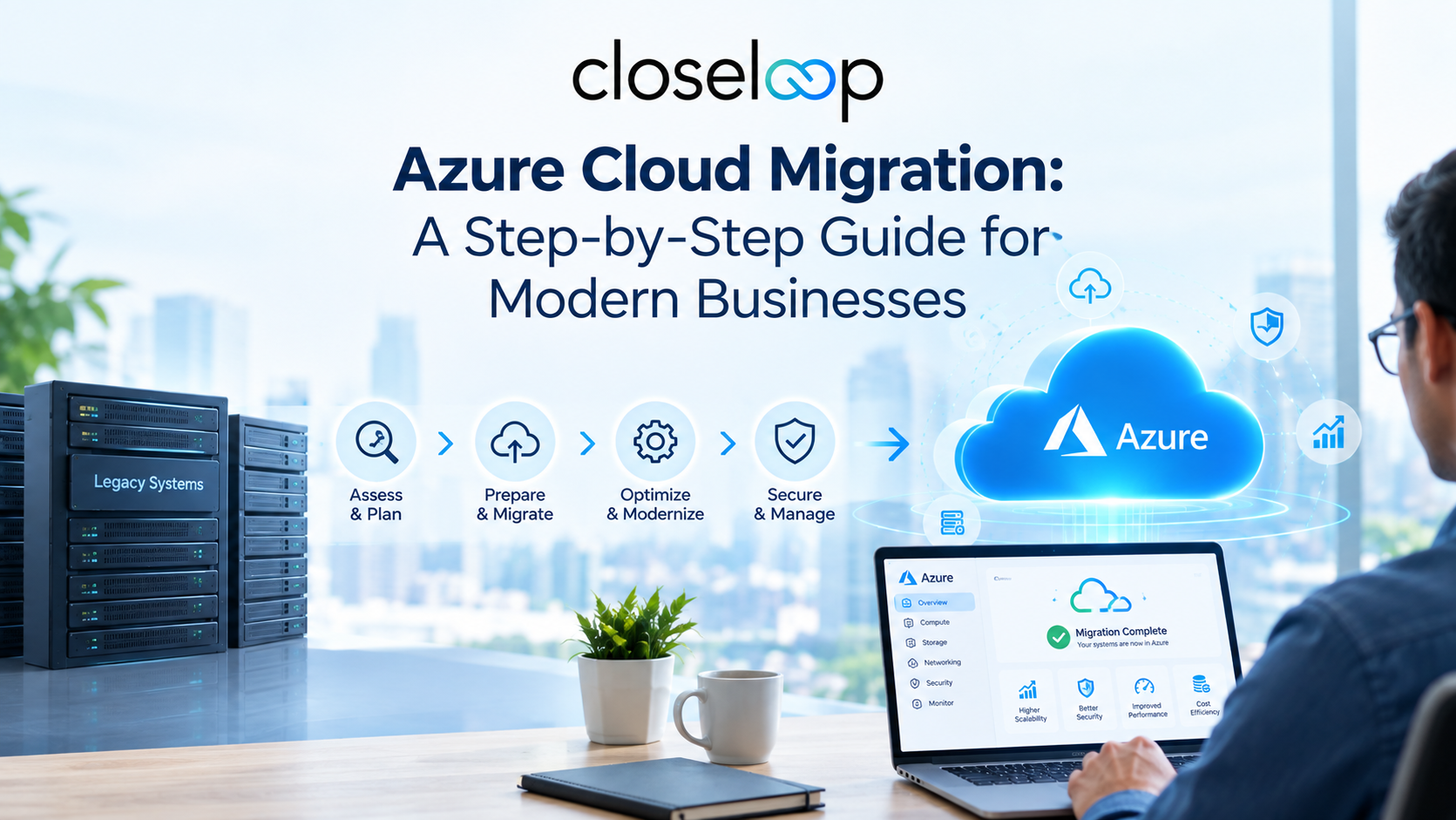
This guide explains the Azure cloud migration process, including key benefits, migration strategies, common challenges, security considerations, and best practices. Businesses can understand how Azure enables application modernization, efficient infrastructure management, and a reliable foundation for future digital transformation.
What Is Azure Cloud Migration?
Azure cloud migration is the process of moving an organization's digital assets, including applications, servers, databases, storage systems, and workloads, from existing environments to Microsoft Azure.
Migration does not simply mean transferring data to the cloud. It involves evaluating current systems, selecting the right cloud architecture, modernizing applications, optimizing resources, and ensuring security and compliance throughout the process.
Businesses typically migrate to Azure to:
- Replace outdated infrastructure.
- Improve application performance.
- Reduce IT operational expenses.
- Enable remote access and collaboration.
- Scale resources based on demand.
- Adopt advanced technologies such as AI, analytics, and automation.
Why Are Businesses Moving to Azure Cloud?
Microsoft Azure has become one of the leading cloud platforms because it provides enterprise-grade infrastructure, advanced security capabilities, and extensive tools for application modernization.
Key Benefits of Azure Cloud Migration services:
| Benefit | How Azure Helps Businesses |
|---|---|
| Scalability | Businesses can increase or decrease computing resources based on demand. |
| Cost Optimization | Pay-as-you-go pricing reduces unnecessary infrastructure expenses. |
| Improved Performance | Azure provides high-speed computing, storage, and networking capabilities. |
| Enhanced Security | Built-in security tools protect applications and sensitive data. |
| Business Continuity | Backup and disaster recovery solutions reduce downtime risks. |
| Innovation Support | Businesses can use AI, machine learning, and analytics services. |
Cloud migration is not only about moving existing workloads but also about creating a foundation for future innovation. Businesses adopting cloud platforms can combine migration strategies with application modernization approaches to improve flexibility, performance, and scalability while preparing their systems for emerging technologies.
A successful cloud transformation often requires evaluating existing applications, infrastructure, and business goals before selecting the right approach. Organizations looking to modernize outdated systems can explore legacy application modernization strategies to improve reliability and create cloud-ready digital environments.
Also Read: Decoding Cloud Cost Optimization Strategies for Microsoft Azure
Step-by-Step Azure Cloud Migration Process
A successful migration with Azure Cloud Migration Services requires proper planning, execution, and continuous optimization. The following steps help businesses transition smoothly to Microsoft Azure while ensuring scalability, security, and improved performance.
Step 1: Assess Current IT Environment
The first stage involves analyzing existing applications, infrastructure, workloads, and business requirements.
Businesses should evaluate:
- Current application architecture.
- Server and database dependencies.
- Data storage requirements.
- Security and compliance needs.
- Migration readiness of existing systems.
Azure assessment tools can help identify workloads suitable for migration and estimate potential costs.
Step 2: Define Migration Goals and Strategy
Before moving workloads, businesses need clear migration objectives.
Common migration goals include:
- Reducing infrastructure costs.
- Improving application reliability.
- Increasing scalability.
- Modernizing legacy applications.
- Improving disaster recovery capabilities.
A detailed migration strategy should define:
- Which workloads will move first.
- Migration timeline.
- Required Azure services.
- Resource allocation.
- Risk management plans.
Step 3: Choose the Right Azure Migration Approach
Businesses can choose different migration strategies depending on application complexity and modernization goals.
The most common Azure migration strategies include the "6 Rs":
| Migration Strategy | Description | Best Use Case |
|---|---|---|
| Rehost (Lift and Shift) | Move applications to Azure with minimal changes. | Legacy applications requiring fast migration. |
| Refactor | Modify applications to use Azure cloud capabilities. | Applications needing improved performance. |
| Rearchitect | Redesign applications using cloud-native architecture. | Businesses seeking long-term modernization. |
| Rebuild | Create applications from scratch using Azure services. | Outdated applications that cannot be optimized. |
| Replace | Move to a SaaS-based solution instead of migrating. | Businesses replacing legacy software. |
| Retire | Remove unnecessary applications. | Systems no longer required. |
Step 4: Prepare Azure Environment
Before migration begins, businesses need to configure their Azure environment properly.
This includes:
- Setting up Azure subscriptions.
- Creating resource groups.
- Configuring identity management.
- Establishing networking infrastructure.
- Implementing security policies.
- Setting monitoring systems.
Step 5: Migrate Applications, Data, and Infrastructure
The migration phase involves transferring workloads to Azure.
Businesses can migrate:
Applications
Organizations can modernize applications using Azure services such as:
- Azure App Service for web applications.
- Azure Kubernetes Service for container-based applications.
- Azure Functions for serverless applications.
Databases
Azure supports database migration through services such as:
- Azure SQL Database.
- Azure Database for MySQL.
- Azure Database for PostgreSQL.
Infrastructure
Companies can move servers, virtual machines, storage, and networking components using Azure migration tools.
Modern Azure migration projects often go beyond simple workload movement by focusing on improving application architecture and operational efficiency. Businesses can leverage cloud-native development practices to build applications that are easier to maintain, scale, and integrate with modern services.
For organizations managing older systems, combining Azure migration with application modernization helps reduce technical limitations while enabling better performance, automation, and long-term growth.
Step 6: Testing and Performance Optimization
After migration, businesses must test applications and infrastructure before full deployment.
Testing should include:
- Application functionality testing.
- Security testing.
- Performance monitoring.
- Data validation.
- User acceptance testing.
Optimization activities include:
- Removing unused resources.
- Adjusting computing capacity.
- Improving application performance.
- Reviewing cloud spending.
Step 7: Monitor and Maintain Azure Environment
Cloud migration is an ongoing process. Businesses must continuously monitor their Azure environment.
Important maintenance activities include:
- Performance monitoring.
- Security updates.
- Cost management.
- Backup verification.
- Resource optimization.
Common Challenges During Azure Cloud Migration
Although Azure migration services provide significant advantages, businesses may face several challenges during implementation.
| Challenge | Solution |
|---|---|
| Legacy application compatibility | Modernize applications or use hybrid migration approaches. |
| Data migration complexity | Plan migration phases and validate data carefully. |
| Security concerns | Implement Azure security controls and access management. |
| Unexpected costs | Use Azure cost monitoring and optimization tools. |
| Lack of cloud expertise | Work with experienced Azure migration specialists. |
| Downtime risks | Use phased migration and proper testing processes. |
Security Considerations for Azure Migration
Security should be a priority throughout the migration lifecycle. Businesses should implement:
Identity and Access Management
Use role-based access control (RBAC) to ensure employees only access required resources.
Data Encryption
Azure provides encryption solutions to protect sensitive information during storage and transfer.
Also Read: AWS vs Azure vs GCP: Comparing The Big 3 Cloud Platforms
Network Security
Organizations should configure:
- Firewalls.
- Virtual networks.
- Private endpoints.
- Network monitoring.
Compliance Management
Azure supports industry compliance standards, helping businesses meet regulatory requirements related to data protection.
Continuous Security Monitoring
Regular monitoring helps detect suspicious activities and security vulnerabilities.
Best Practices for Successful Azure Cloud Migration
Following proven migration practices improves success rates and reduces risks.
1. Start With a Detailed Migration Plan
Avoid moving workloads without proper assessment. A structured roadmap ensures smoother execution.
2. Prioritize Critical Applications
Begin with applications that provide the highest business value while minimizing operational disruption.
3. Adopt a Hybrid Cloud Approach When Needed
Some businesses may benefit from keeping certain workloads on-premises while migrating others to Azure.
4. Optimize Cloud Costs Regularly
Monitor resource usage and remove unnecessary services to control expenses.
5. Focus on Application Modernization
Instead of simply moving applications, businesses should improve them using cloud-native technologies.
6. Maintain Strong Security Controls
Security policies should be implemented before, during, and after migration.
7. Train Internal Teams
Cloud knowledge helps teams manage Azure environments effectively after migration.
Azure Cloud Migration vs Traditional Infrastructure
| Feature | Traditional Infrastructure | Azure Cloud Infrastructure |
|---|---|---|
| Scalability | Limited hardware capacity | On-demand resource scaling |
| Maintenance | Requires manual management | Managed cloud services |
| Cost Model | High upfront investment | Flexible usage-based pricing |
| Security | Depends on internal systems | Advanced cloud security tools |
| Innovation | Limited technology adoption | AI, analytics, and automation support |
How Closeloop Simplifies Azure Cloud Migration for Businesses?
Closeloop delivers reliable Azure Cloud Migration Services that help businesses seamlessly transition to the cloud with improved scalability, security, and operational efficiency. Our experts support every stage, from planning and migration to optimization and ongoing cloud management.
- Plan and execute seamless Azure migration strategies.
- Modernize applications with cloud-ready Azure solutions.
- Migrate data securely with minimal downtime.
- Build scalable and optimized cloud infrastructure.
- Select the right migration approach for business needs.
- Improve performance with continuous cloud optimization.
- Provide ongoing Azure support and management.
Choosing the right cloud platform and migration strategy plays an important role in achieving successful digital transformation. Businesses can benefit from understanding different cloud approaches, security requirements, and optimization methods before beginning their migration journey.
According to Microsoft Azure, Azure is Microsoft's cloud computing platform that provides a wide range of cloud services, including computing, storage, networking, analytics, and application development capabilities.
Conclusion
Azure cloud migration helps businesses modernize operations, improve security, and scale efficiently. With the right strategy and expertise, organizations can successfully migrate applications, data, and infrastructure while reducing costs and driving innovation.
Partnering with experienced Azure Cloud Migration Services providers enables businesses to simplify migration, optimize Azure environments, and build a future-ready digital foundation. Closeloop transforms the digital landscape with Growth-Oriented and enduring Azure Cloud Solutions.
Author

Swetha GP

VP of Delivery
She is a VP of Delivery at Closeloop. A communicator, business analyst, and engineering aficionado. Besides handling client relations, and engineering duties, she loves to pour her thoughts on paper. She writes about engineering, technologies, frameworks, and everything related to the software domain. She reads, spends time with family, and enjoys a good walk in nature in her free time. Her dream destination is Greece.
Stay abreast of what's trending in the world of technology
NetSuite Integration Challenges and How Businesses Can Overcome Them
Most NetSuite projects do not struggle because of NetSuite itself. They struggle at the...
How AI and Automation Are Transforming Modern Logistics Operations
A shipment that leaves the warehouse on time can still arrive late. A truck can run full on...

The Hidden Risks of AI-Generated Code in Enterprise Applications
AI coding assistants have moved from experiment to everyday tool in many engineering teams....

When Standard NetSuite Workflows Fall Short: Implementation, Integration, and Customization...
NetSuite is one of the most capable cloud ERP platforms available, but no out-of-the-box...